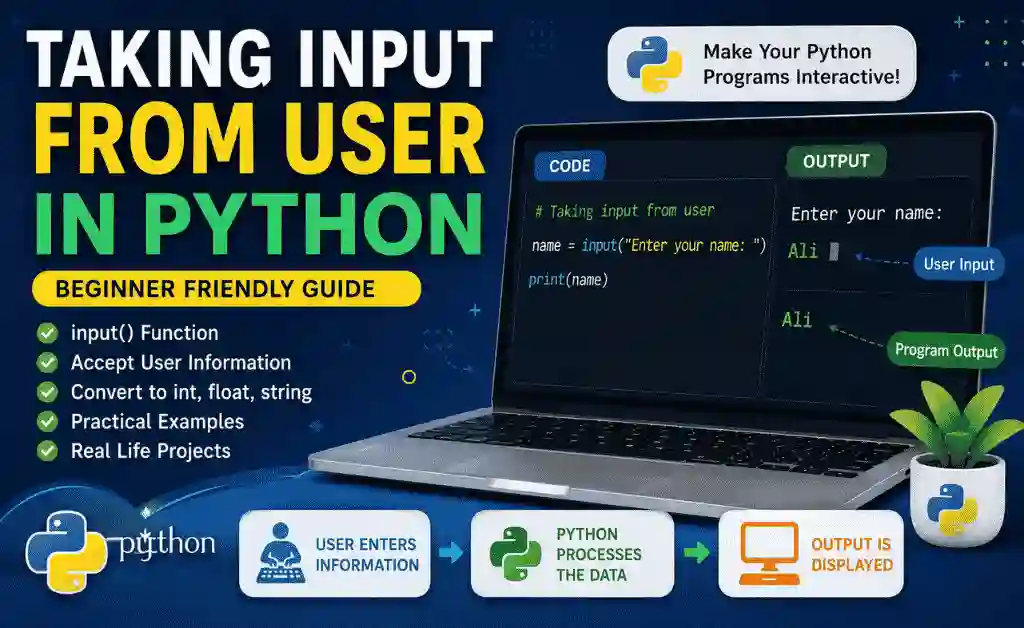
Learn Taking Input from User in Python with practical examples, real-life projects, and beginner-friendly explanations. Master the Python input() function step by step.
Table of Contents
Introduction: Why User Input Matters in Python
Imagine opening a calculator app.
You enter two numbers.
The calculator performs calculations and displays the result.
Now imagine if the calculator could never ask you for numbers.
Would it be useful?
Of course not.
The same principle applies in programming.
A good program must interact with users.
It should:
- ✅ Ask questions
- ✅ Accept information
- ✅ Process data
- ✅ Show results
This is where Taking Input from User in Python becomes important.
Before learning input, our programs displayed fixed information.
Example:
print("Welcome to Aspirian.pk")Every time the program runs, the same message appears.
But what if we want the program to ask for the student’s name?
That’s where the Python input() function comes in.
What is User Input in Python?
User Input means allowing a user to enter information while the program is running.
For example:
- Enter your name
- Enter your age
- Enter your marks
- Enter your city
Instead of hardcoding values, the program collects information from the user.
This makes programs interactive and useful.
Real-Life Example: School Admission Form
Imagine a school admission form.
The school asks:
- Student Name
- Father Name
- Class
- City
The student enters information.
Similarly, Python asks users for information using the input() function.
Understanding the input() Function
The basic syntax is:
input()
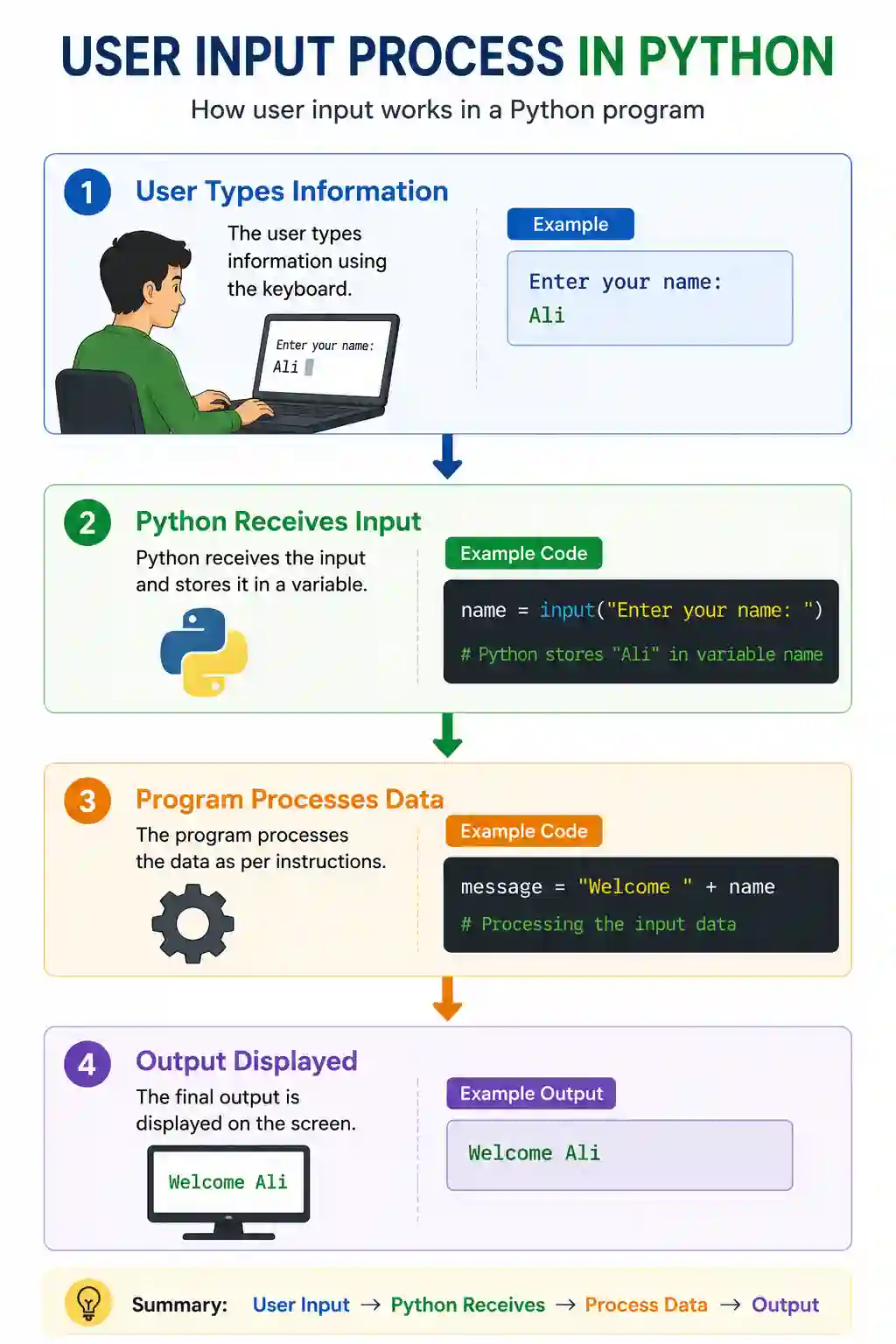
Python waits for the user to type something.
Example:
name = input("Enter your name: ")When the program runs:
Enter your name:
User types:
Ali
Python stores:
“`python
name = “Ali”
Breaking Down the Code
Example:
name = input("Enter your name: ")Let’s understand it line by line.
name
Variable used to store information.
input()
Function that accepts user data.
“Enter your name:”
Message shown to the user.
Together they mean:
Ask the user for their name and store it in the variable.
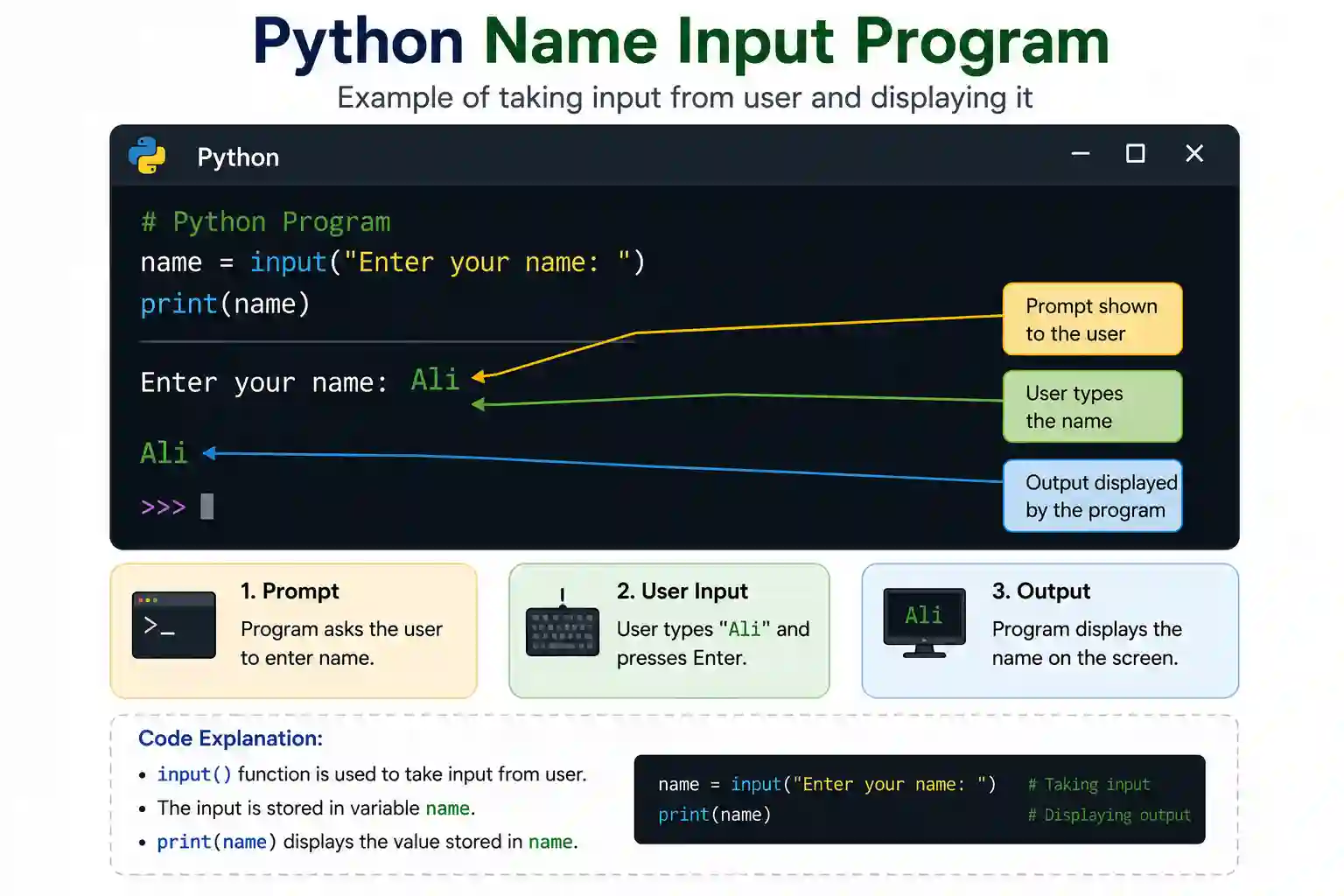
Example 1: Asking Student Name
student\_name = input("Enter your name: ")


print(student\_name)
Output:
Enter your name: Ali


Ali
Simple and powerful.
Example 2: School Information Program
name = input("Enter student name: ")

city = input("Enter city: ")


print(name)

print(city)
Output:
Enter student name: Ali

Enter city: Lahore


Ali

Lahore
Now the program can accept multiple values.
Example 3: Mobile Registration Form
user\_name = input("Enter username: ")

email = input("Enter email: ")


print(user\_name)

print(email)
This is how websites collect information from users.
Important Fact About input()
Many beginners don’t know this.
Python stores all input as a string by default.
Example:
age = input("Enter age: ")User enters:
16
Python stores:
"16"
Notice the quotation marks.
It becomes text.
Not a number.
Checking Data Type
age = input("Enter age: ")


print(type(age))
Output:
<class 'str'>
This proves Python stores user input as a string.
Converting Input into Integer
Suppose we need numbers.
We use int().
Example:
age = int(input("Enter age: "))User enters:
16
Python stores:
16
Now it becomes an Integer.
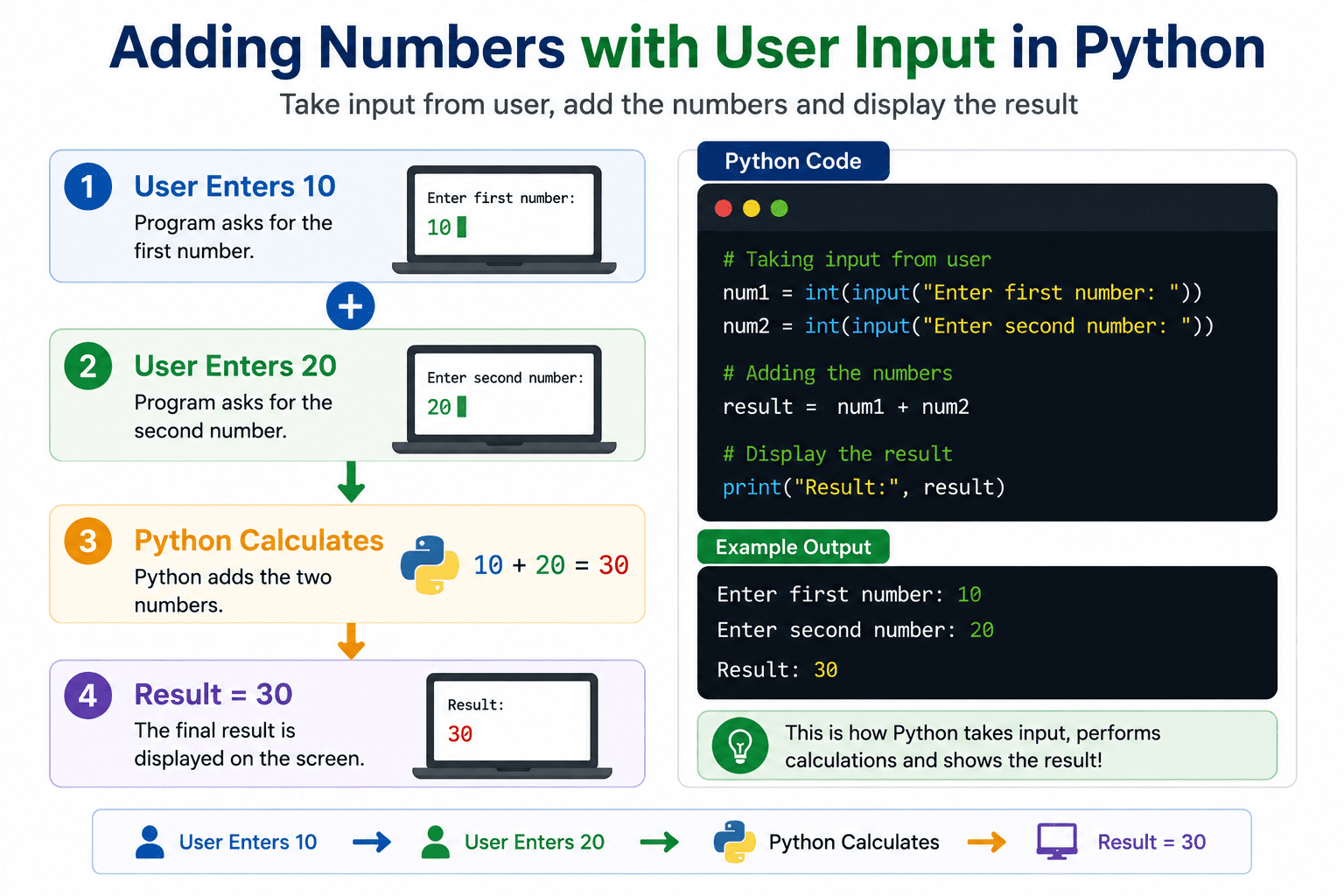
Example: Add Two Numbers
num1 = int(input("Enter first number: "))

num2 = int(input("Enter second number: "))


result = num1 + num2


print(result)
Output:
Enter first number: 10

Enter second number: 20


30
Now the program performs calculations.
Converting Input into Float
Sometimes we need decimal numbers.
Use float().
Example:
percentage = float(input("Enter percentage: "))User enters:
87.5
Python stores:
87.5
as a Float.
GPA Calculator Example
gpa = float(input("Enter GPA: "))


print(gpa)
Output:
Enter GPA: 3.85


3.85
This is how educational tools work.
Real-Life Project: Student Profile Program
name = input("Enter Name: ")

age = int(input("Enter Age: "))

city = input("Enter City: ")


print(name)

print(age)

print(city)
Output:
Ali

16

Lahore
This is your first interactive program.
Real-Life Example: Banking Application
name = input("Enter Account Holder Name: ")


balance = float(input("Enter Balance: "))
This is how banking software collects information.
Real-Life Example: Game Registration
player\_name = input("Enter Player Name: ")


print("Welcome", player\_name)
Output:
Welcome Ali
Games use user input constantly.
Common Beginner Mistakes
Mistake #1
Using input for calculations without int()
Wrong:
num1 = input("Enter Number: ")

num2 = input("Enter Number: ")


print(num1 + num2)
Input:
10

20
Output:
1020
Python joins strings.
Correct Version
num1 = int(input("Enter Number: "))

num2 = int(input("Enter Number: "))


print(num1 + num2)
Output:
30
Mistake #2
Misspelling input()
Wrong:
imput()
Correct:
input()
Mistake #3
Forgetting Parentheses
Wrong:
input
Correct:
“`python
input()
Mini Project: Aspirian Student Registration System
student\_name = input("Enter Student Name: ")


class\_name = input("Enter Class: ")


city = input("Enter City: ")


print(student\_name)

print(class\_name)

print(city)
This small project simulates a student registration system.
Why User Input Matters in Real Applications
User input is used in:
- Websites
- Mobile Apps
- Banking Software
- Hospital Systems
- School Management Systems
- Online Forms
- Games
- AI Chatbots
Without user input, software cannot interact with people.
Internal Linking (Aspirian.pk Strategy)
👉 Previous Lesson:
Data Types in Python (int, float, string) Explained Simply
👉 Next Lesson:
Python Operators Explained (Arithmetic, Comparison, Logical), coming soon!
External Linking (Authority Signal)
For official reference and future learning:
Python Official Documentation (for reference & learning)
Final Thoughts
Today you learned one of the most powerful beginner concepts in Python.
You learned:
- ✅ What user input is
- ✅ How input() works
- ✅ Taking text input
- ✅ Taking integer input
- ✅ Taking float input
- ✅ Common mistakes
- ✅ Real-life projects
Remember:
Variables store information.
Data Types define information.
Input() collects information from users.
Together these three concepts form the foundation of Python programming.
Boost Your Tech Career with TechFreshGuru
While our Free Online Tools help you with daily translation needs, the future belongs to those who build the technology behind these tools. If you are inspired by the power of Free Online Tools like our Roman Urdu to English translator, it’s time to learn how to create them yourself.
Visit TechFreshGuru: Trending Courses 2026 to enroll in professional training:
- AI Fundamentals
- Python Programming
- Online Trading
- Web Development
- Digital Marketing & SEO
- WordPress Mastery Course
Take the first step toward a successful tech career today at TechFreshGuru!
Aspirian.pk Free Online Tools
🔹 Free Online Tools on Aspirian.pk
- Percentage Calculator: Calculate your exam percentages instantly.
- University Merit Calculator: University Merit Calculator is a free online tool that helps students calculate admission merit percentage.
- Age Calculator: Age Calculator for CSS,PPSC, FPSC, and NTS.
- CGPA Converter: Convert percentages to CGPA automatically.
- AI Content Humanizer & Rewriter: Swap specific words quickly.
- Roman Urdu to Englsih Converter: A simple translator for basic sentences.
- Essay, Letter, Application Story Generator: Write Anything in Seconds.
All these tools are built using programming logic, making them perfect real-world examples for beginners.