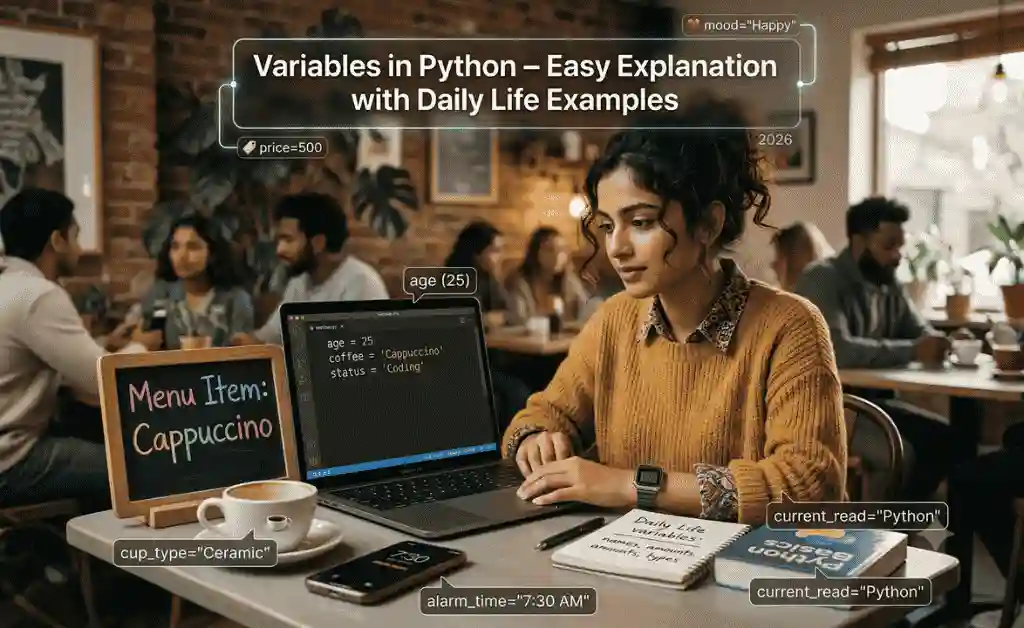
Learn Variables in Python with simple explanations, practical examples, and daily life scenarios. Complete beginner-friendly guide to understanding Python variables step by step.
Table of Contents
Introduction: The Secret Behind Every Python Program
Imagine you are using your mobile phone.
Your phone stores:
- Your name
- Your contacts
- Your photos
- Your passwords
- Your messages
But where does it keep all this information?
The answer is simple:
It stores data in memory.
Python does exactly the same thing.
Whenever a Python program needs to remember something, it uses variables.
That is why understanding Variables in Python is one of the most important concepts in programming.
Without variables:
- ❌ Programs cannot store information
- ❌ Calculators cannot perform calculations
- ❌ Games cannot track scores
- ❌ Websites cannot remember users
Simply put:
Variables are the foundation of programming.
In this lesson, you will learn variables through simple language, real-life examples, practical coding examples, and exercises.
What is a Variable in Python?
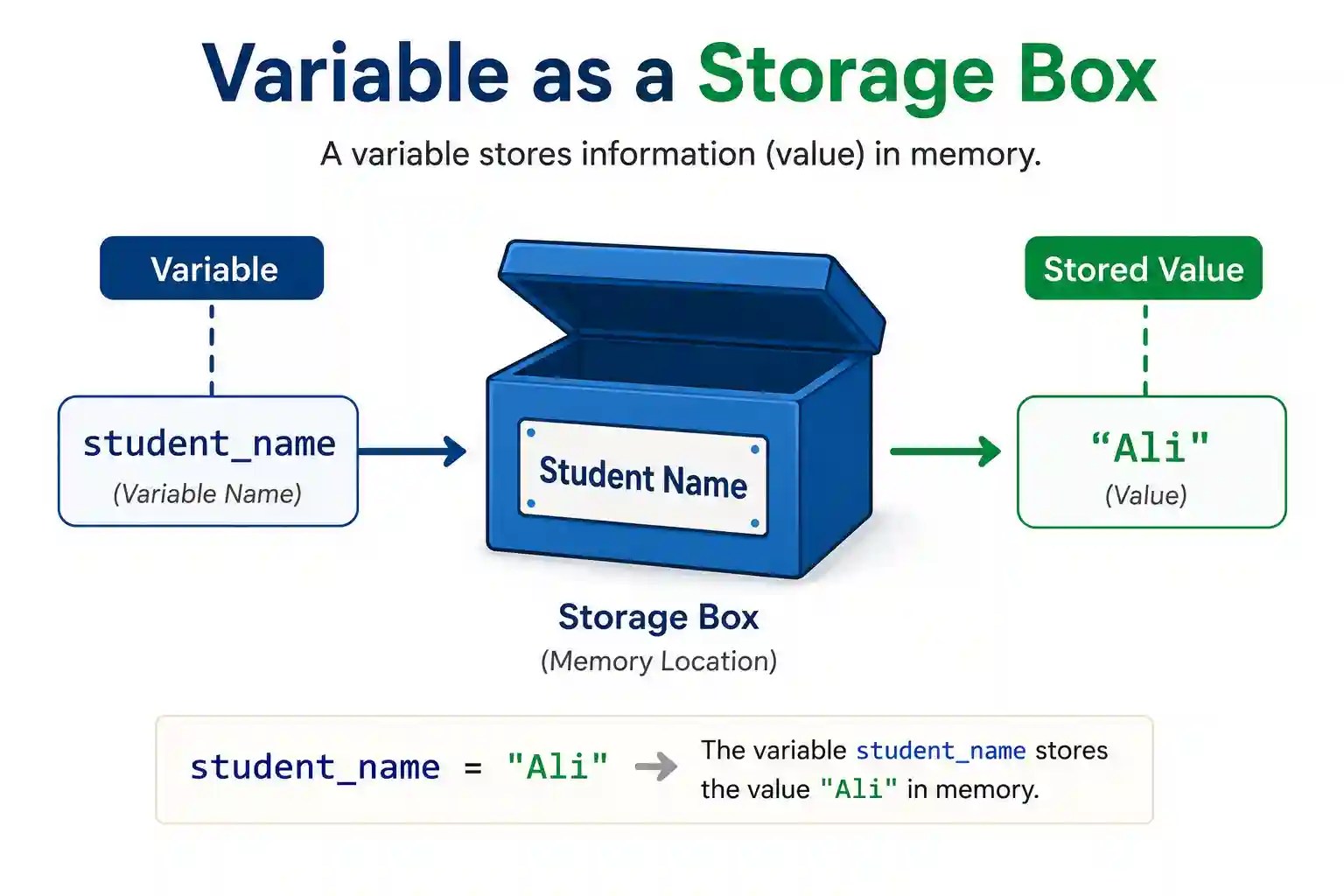
A variable is a container that stores information.
Think of it like a labeled box.
Example:
You have a box labeled:
Name
Inside the box:
Ahmed
Python representation:
name = "Ahmed"
Here:
- name = variable
- Ahmed = value stored inside variable
The variable remembers the value until it changes.
This is the basic idea behind Python variables explained.
Daily Life Example #1: School Bag
Imagine your school bag.
Inside the bag:
- Books
- Notebook
- Pen
- Pencil
The bag stores items.
Similarly:
A variable stores data.
Example:
student_name = "Ali"
Variable:
student_name
Stored value:
Ali
Just like a bag stores books, a variable stores information.
Daily Life Example #2: Wallet
Imagine your wallet contains:
5000 Rupees
Python version:
money = 5000
Here:
money is the variable.
5000 is the stored value.
Later:
money = 7000
Now the value changes.
Variables can store new information whenever needed.
Daily Life Example #3: Mobile Contacts
Your phone stores:
- Ahmed
- Bilal
- Usman
Each contact has a name and phone number.
Python stores information similarly.
friend_name = "Ahmed"
friend_number = "03001234567"
Variables help organize data neatly.
Understanding Variable Syntax
Basic structure:
variable_name = value
Example:
city = "Lahore"
Python reads:
Store Lahore inside city.
Later:
print(city)
Output:
Lahore
Simple and powerful.
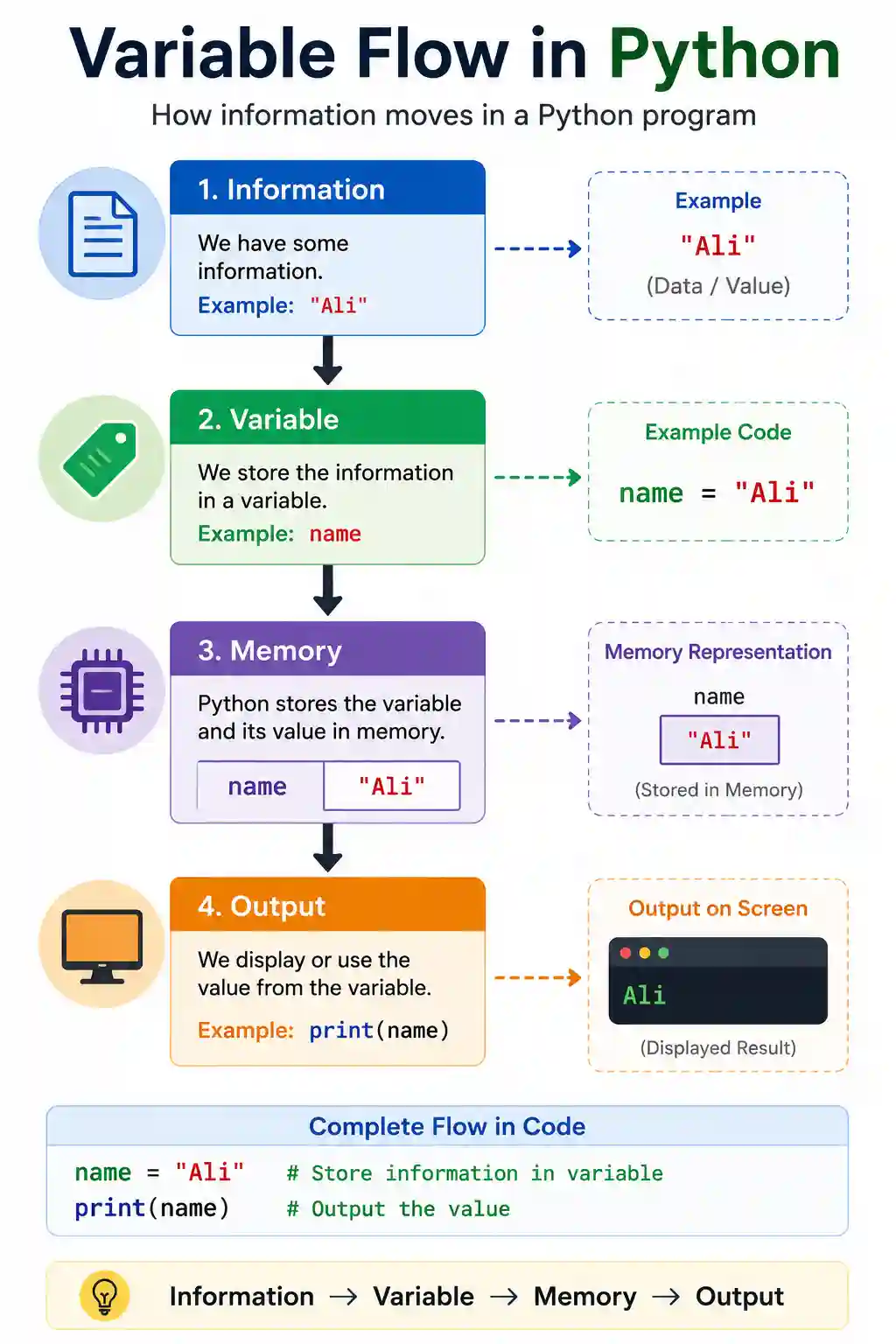
Your First Variable Program
Example:
name = "Ali"

print(name)
Output:
Ali
Explanation:
Step 1:
Store Ali inside name
Step 2:
Print the value
This is one of the simplest programs using variables.
Example: Student Information System
Imagine a school management system.
student_name = "Ali"
class_name = "10th"
marks = 450

print(student_name)
print(class_name)
print(marks)
Output:
Ali
10th
450
Real applications use thousands of variables like these.
Rules for Naming Variables
Python has some simple rules.
Rule 1: Start with Letters
Correct:
name = "Ali"
Wrong:
1name = "Ali"
Rule 2: No Spaces
Wrong:
student name = "Ali"
Correct:
student_name = "Ali"
Rule 3: Use Meaningful Names
Bad:
x = "Ali"
Better:
student_name = "Ali"
Meaningful names make code easier to understand.
Common Mistakes Beginners Make
Mistake 1: Using Quotes Incorrectly
Wrong:
name = Ali
Correct:
name = "Ali"
Mistake 2: Misspelled Variable
student_name = "Ali"

print(studnt_name)
Error occurs because spelling changed.
Mistake 3: Using Spaces
Wrong:
my name = "Ali"
Correct:
“`python
my_name = “Ali”
Variables Can Store Different Types of Data
Python variables can store many kinds of information.
Text
name = "Ahmed"
Numbers
age = 16
Decimal Numbers
height = 5.8
True or False
is_student = True
Variables are flexible and powerful.
Real-Life Project Example: Bank Account
Imagine a banking application.
account_holder = "Ali"
balance = 50000

print(account_holder)
print(balance)
Output:
Ali
50000
Every bank software uses variables extensively.
Real-Life Project Example: Game Score
A game needs to remember scores.
score = 100

print(score)
When player earns points:
score = 150
The variable updates automatically.
Calculator Example Using Variables
num1 = 10
num2 = 20

result = num1 + num2

print(result)
Output:
30
Here:
- num1 stores 10
- num2 stores 20
- result stores 30
This is exactly how calculators work.
Aspirian.pk Practical Example
Suppose Aspirian.pk GPA Calculator receives:
- Marks = 450
- Total Marks = 550
Python may store data like:
obtained_marks = 450
total_marks = 550
The program then calculates GPA.
Variables are used in every educational tool.
Why Variables Matter in Real Life
Variables are used in:
- Websites
- Mobile Apps
- AI Systems
- Games
- School Software
- Banking Software
- Hospital Management Systems
Every major software application relies on variables.
Without variables, modern technology would not exist.
Practice Exercises
Exercise 1
Create a variable for your name.
name = "Your Name"
Exercise 2
Store your age.
age = 16
Exercise 3
Store your city.
city = "Lahore"
Exercise 4
Print all information.
print(name)
print(age)
print(city)
Mini Project
Create a Student Profile Program.
student_name = "Ali"
class_name = "10th"
school = "Garrison School"
city = "Jhang"

print(student_name)
print(class_name)
print(school)
print(city)
Output:
Ali
10th
Garrison School
Jhang
Congratulations!
You have built your first data storage program.
Internal Linking (Aspirian.pk Strategy)
👉 Previous Lesson:
Your First Python Program Explained Line by Line (Beginner Guide 2026)
👉 Next Lesson:
Data Types in Python (int, float, string) Explained Simply
External Linking (Authority Signal)
For official reference and future learning:
Python Official Documentation (for reference & learning)
Final Thoughts
Today you learned one of the most important concepts in programming:
- ✅ What variables are
- ✅ How variables store information
- ✅ Variable naming rules
- ✅ Practical coding examples
- ✅ Real-life applications
- ✅ Beginner exercises
Remember:
Variables are the memory of a program.
If you understand variables well, learning Python becomes much easier.
Every calculator, website, game, AI tool, and mobile app uses variables.
Master this concept now, and your Python journey will become much smoother.
Boost Your Tech Career with TechFreshGuru
While our Free Online Tools help you with daily translation needs, the future belongs to those who build the technology behind these tools. If you are inspired by the power of Free Online Tools like our Roman Urdu to English translator, it’s time to learn how to create them yourself.
Visit TechFreshGuru: Trending Courses 2026 to enroll in professional training:
- AI Fundamentals
- Python Programming
- Online Trading
- Web Development
- Digital Marketing & SEO
- WordPress Mastery Course
Take the first step toward a successful tech career today at TechFreshGuru!
Aspirian.pk Free Online Tools
🔹 Free Online Tools on Aspirian.pk
- Percentage Calculator: Calculate your exam percentages instantly.
- CGPA Converter: Convert percentages to CGPA automatically.
- Roman Urdu to Englsih Converter: A simple translator for basic sentences.
All these tools are built using programming logic, making them perfect real-world examples for beginners.