A Word & Character Counter Online Tool is an essential writing utility designed to help students, bloggers, freelancers, content creators, and developers accurately measure the length of their text. Whether you’re writing an essay, social media caption, article, or SEO content, this tool helps maintain the required word and character limits without any hassle.
Our Word & Character Counter Tool is fast, free, and works directly in your browser without installing anything. Just paste your text—and instantly get the word count, character count (with & without spaces), sentence count, and paragraph count.
Table of Contents
What is a Word & Character Counter Tool?
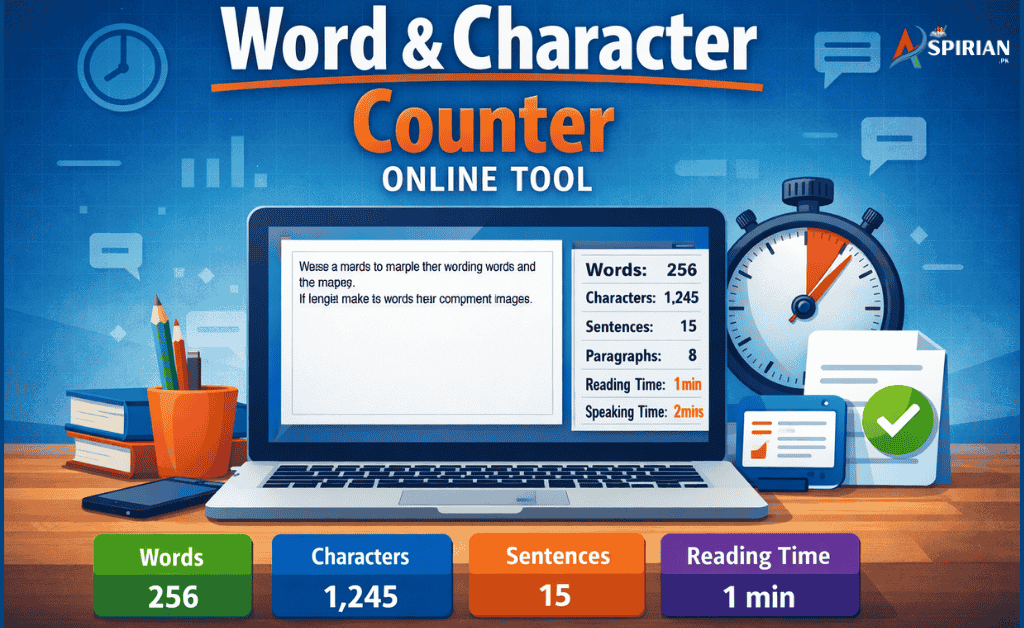
A Word & Character Counter Tool is an online text-analysis utility that automatically calculates:
- Total Words
- Total Characters (With Spaces)
- Total Characters (Without Spaces)
- Sentences
- Paragraphs
- Reading Time
- Speaking Time
It is widely used by writers, students, editors, social media creators, and SEO professionals.
Why Use a Word & Character Counter Tool?
Here are the main reasons why this tool is extremely helpful:
✔ 100% Accurate Counting
The tool instantly analyzes your text and shows real-time results.
✔ Helps Maintain Limits
Useful for platforms like:
Twitter/X limits
Meta descriptions
Essay limit
Instagram captions
Freelance task requirements
✔ Save Time
No need to manually check word or character count.
✔ Improve Writing
The stats help structure your content better.
Key Features of Word & Character Counter Tool
Real-Time Word Count
As you type, the tool updates instantly.
- Character Count With & Without Spaces
Helpful for SEO, meta descriptions, and SMS limits.
- Sentence & Paragraph Counter
Perfect for academic writing.
- Reading & Speaking Time Calculator
Shows how long it takes to read or speak the text.
- Lightweight & Fast
No login, no ads, no installation required.
- Supports All Languages
English, Urdu, Roman Urdu, Hindi—everything works.
How to Use the Word & Character Counter Tool?
Using the tool is extremely simple:
- Open the tool page
- Paste or type your text
- The tool will automatically show:
- Total Words
- Total Characters
- Sentences
- Paragraphs
- Reading Time
No buttons, no steps—just instant results.
Step-by-Step: How to Use Word & Character Counter Online Tool
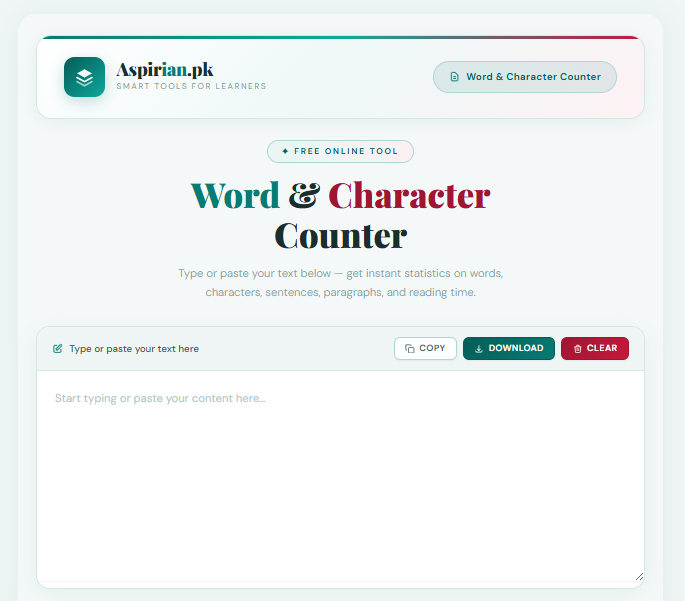
Step 1: Open the Word & Character Counter Tool
Visit the Word & Character Counter Online Tool page on Aspirian.pk.
Ready to analyze your text?
Use our Word & Character Counter Online Tool now and check your writing stats instantly?
Step 2: Type or Paste Your Text
Example text:
This is a sample paragraph for counting words and characters.
It helps students check their assignment length.
Step 3: View Automatic Results
The tool instantly shows:
- Total Words
- Characters (with spaces)
- Characters (without spaces)
- Sentences
- Paragraphs
- Reading Time
All results update in real-time as you type or edit.
Step 4: Adjust Your Text (If Needed)
You can:
- Reduce word count
- Increase content length
- Optimize for character limits
- Improve structure
The counter updates instantly.
Step 5: Copy & Use Anywhere
Use your final text in:
- Assignments
- Essays
- Reports
- Blog posts
- Emails
- Social media captions
Who Should Use This Tool?
Students
To check essay or assignment limits.
Bloggers & Writers
For maintaining article length.
Freelancers
To deliver tasks with accurate word counts.
SEO Experts
Useful for title tags & meta descriptions.
Social Media Creators
To stay within caption and bio character limits.
What does this tool count?
✔ Fast & Free
✔ No Login Required
✔ Works On All Devices
✔ Instant Accurate Results
✔ Best for SEO, Writing, and Social Media

Frequently Asked Questions (FAQs)
What does this tool count?
Words, characters, sentences, paragraphs, and reading time.
Is this tool free to use?
Yes, completely free.
Can I use it on mobile?
Yes, the tool works perfectly on all mobile devices.
Does it support Urdu or Roman Urdu?
Yes, you can paste any language text.
Are the results accurate?
Yes, the tool provides 100% accurate counts.
Final Thoughts: Write Clean, Write Better
The Word & Character Counter Online Tool is one of the best solutions for students, bloggers, and professionals who need accurate writing measurements. It saves time, improves your writing quality, and ensures that your content stays within the required limits.
Use it daily for writing assignments, social media content, SEO tasks, emails, and professional documents.
External Authority References (Trusted Writing & Learning Sources)
To ensure natural writing quality and proper English usage, our humanizer aligns with trusted global learning platforms:
- Wikipedia – Learn about natural language, writing styles, and AI-generated content.
- Cambridge Dictionary – Trusted source for correct word meanings and usage.
- Oxford Learner’s Dictionaries – Grammar, vocabulary, and academic writing support.
- British Council – Official English learning and writing improvement content.
- Grammarly Blog – Professional writing advice and style improvement tips.
- Explore More Free Online Tools for Students on Aspirian.pk
Aspirian.pk provides a growing collection of student-focused tools for writing, studying, and productivity.
Explore More Free Online Tools for Students on Aspirian.pk
Aspirian.pk offers many free AI tools to support learning:
Aspirian.pk provides:
- AI Essay Outline Generator
- AI Content Humanizer & Rewriter
- Roman Urdu to English Translator
- Image to Text Converter
- Numbers to Words Converter
- Word to PDF Converter
Perfect for school, college, and university students.

Popular Free Online AI Tools You May Like
- Roman Urdu to English – A simple translator for basic sentences.
- Number to Words – Convert figures into words
- GPA & Grade Calculator – Calculate board percentages and grades.
- Age Calculator – Find your exact age
- MS Word to PDF – Word to PDF Converter
- Lorem Ipsum Generator – Professional dummy text tool.
Explore all tools here:
Free Online Tools for Students – Aspirian.pk
Boost Your Tech Career with TechFreshGuru
While our Free Online Tools help you with daily translation needs, the future belongs to those who build the technology behind these tools. If you are inspired by the power of Free Online Tools like our Roman Urdu to English translator, it’s time to learn how to create them yourself.
Visit TechFreshGuru: Trending Courses 2026 to enroll in professional training:
- Full Stack Web Development: Learn to build your own suite of Free Online Tools.
- AI & Machine Learning: Master the technology that powers modern translators.
- Digital Marketing: Learn how to rank your own tools on Google’s first page.
- WordPress Mastery Course: Build professional websites and powerful tool dashboards without writing a single line of code.
Take the first step toward a successful tech career today at TechFreshGuru!